




Innovation
Performance
Adaptability
Customer satisfaction

Coswin Nom@d

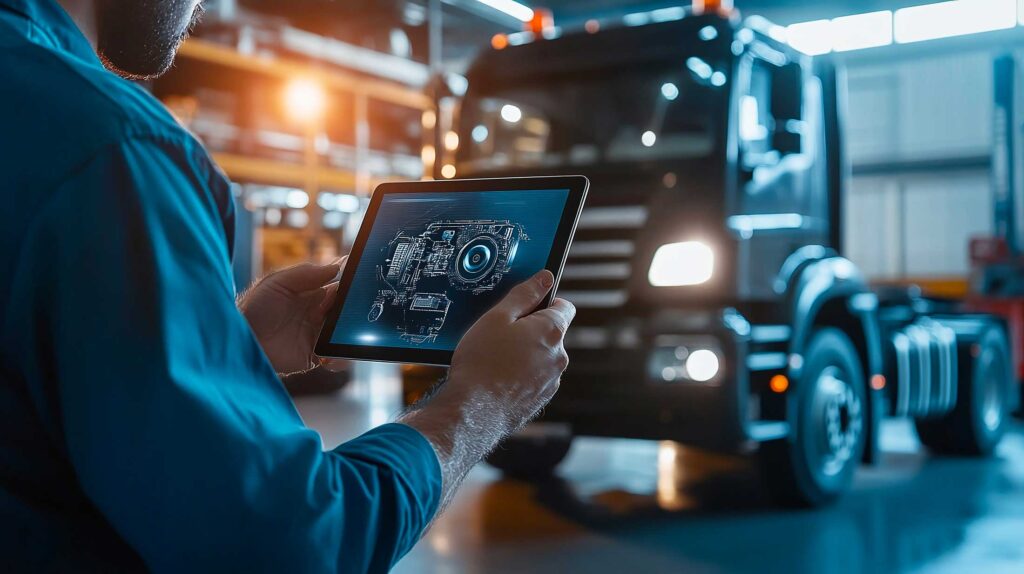
The CMMS mobile application for your field technicians

About Coswin Nom@d

Coswin Nom@d offers just the right functionality to complement your CMMS
Coswin 8i. This mobile application has been designed with users in mind. It is ergonomic and intuitive, making
quick and easy to use. The gains in time and information quality
are undeniable.

Product benefits

The Coswin Nom@d CMMS has all the functions needed to manage :

Creation of work order

Inventory management

Job request creation

Work Order feedback

Meter reading
With many advantages

Customizable screens

Can be used with or without a network
Multilingual application

Multimedia: photos, videos & voice dictation

Supports barcodes and QR codes

Choose Coswin Nom@d

It means choosing a mobile CMMS solution:

Ergonomic

Customizable

Secure

Multilingual

All terrain

Coswin Nom@d’s intuitive ergonomics have been optimized to limit user actions and input errors.

Screens can be configured and customized using Coswin 8i’s screen editor.

Communication between Coswin Nom@d and Coswin 8i secured by web services. Imported data is checked for consistency and incorrect information is rejected.

The application is available in French, English, Dutch, German, Brazilian, Spanish and Greek.

The app works with embedded data wherever you are, working autonomously with or without a network (differential synchronization).

Features

Personalization

Personalization

Equipment management

Job request creation

Job request
  • Create, handle and modify job requests (from a Work Order, from a Work Order action).
  • Push notifications of new Job Requests created in Coswin 8i.
  • Access to intervention activities.
  • Access to parts required for interventions.
  • Management of rounds through reports on WO actions.
  • Data entry of meter and measurement readings.
  • Geolocation of service requests.

Creating work orders

Work order management
  • Access to activities.
  • Access to required parts.
  • Push notifications of new Work Orders created from Coswin 8i, taking into account the technician’s geolocation.
  • Round management through reports on WO actions (checklist of tasks to be carried out).
  • Data entry of meter and measurement readings.

Corrective maintenance

Corrective maintenance
  • Access to equipment job history.
  • Transformation of Job Resquest into Work Order.
  • Creation of corrective Work Order directly on the smartphone.
  • Recording of hours worked and entry of diagnoses and comments.
  • Actions can be created from the Work Order.
  • Multi Work Order stopwatch for tracking time and work order information.
  • Geolocation of work orders.

Work Order feedback

Work Order feedback
  • View feedback already entered by the employee and/or create a new report from the employee list.
  • Time allocation
  • Signature on screen
  • Input Symptoms, Faults, Causes, Remedies
  • Stock used
  • Association of media files: photo, video, audio
  • Voice dictation
  • View and update technical attributes in the work order module.

Inventory management

Outings and inventories
  • Input of outputs on Work Order or cost center
  • Inventory:
    – Blind: unscheduled inventory carried out by browsing the stock.
    – Scheduled: the inventory prepared in Coswin 8i is retrieved from the terminal and tracked for information.

Let's talk about your CMMS project

Easier integration into your organization

Multi OS

Works on Windows Mobile, iOS, and Android. Available on your corporate Google Play or App Store.

Ergonomic and customizable

The app is intuitive to learn and operate, making it easy for your users to get on board.

Flexibility of deployment

Coswin 8i is available in Saas and on premise modes

GMAO Défense CMMS Defence

Would you like to find out more?